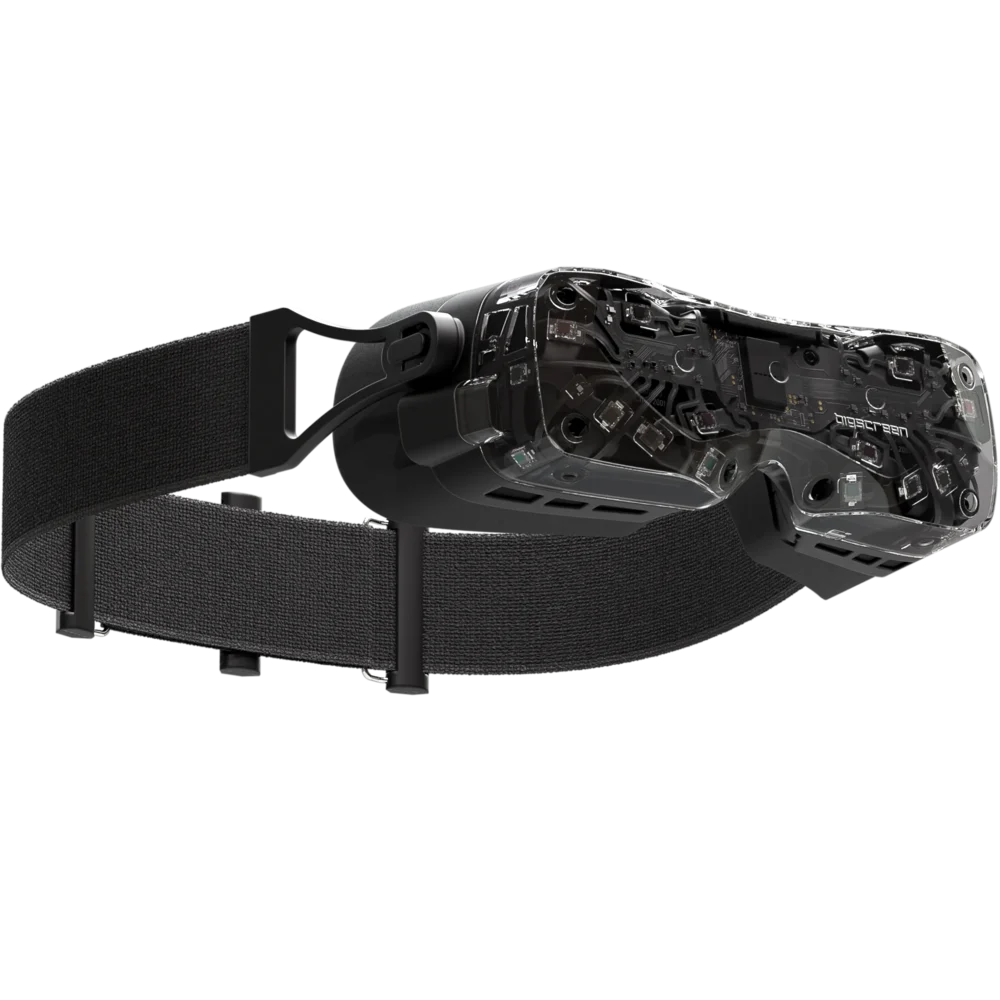
The Bigscreen Beyond 2 makes the strongest case if your PC VR station already has SteamVR base stations, compatible controllers and a fast graphics card. Its compact micro-OLED headset puts much less hardware on your face than many standalone models. In return, you keep the tether and the room hardware. Bigscreen lists the Beyond 2 from $959 and the Beyond 2e from $1,159 in the U.S. with the Universal-Fit Cushion configuration in its pricing update. Pick your fit equipment on the order page to see what your configuration actually costs. Bigscreen’s order page · Bigscreen pricing and configuration update
Product image from Bigscreen Press.
The headset and the hardware around it
| Specification | Beyond 2 and 2e |
|---|---|
| Host | Compatible gaming PC running SteamVR |
| Displays | Micro-OLED, 2,560 × 2,560 native pixels per eye |
| Refresh modes | 75Hz and 90Hz |
| Optics | Pancake, with adjustable lens spacing |
| Tracking | SteamVR base stations, required and sold separately |
| Input | Compatible SteamVR controllers for motion games, sold separately |
| Eye tracking | Built into Beyond 2e only |
Panel resolution is separate from the signal the headset accepts at a given refresh rate. MRTV found that 75Hz used the native 2,560 × 2,560 input, while the 90Hz mode used a lower input resolution that the headset upscaled. If your priority is cockpit text, compare both modes in the same sim at similar rendering settings. Bigscreen specifications · MRTV’s optical and refresh-mode review
What we like
It takes weight off the front of your head. That’s the practical reason to audition a Beyond. If you spend long stretches in a racing seat, a flight cockpit or social VR, compare pressure on your nose and cheeks as well as image quality. The very low headset weight Bigscreen quotes is for the compact headset hardware. Your strap, cushion, audio and cable affect the total fit. Put the intended setup together before deciding that a weight figure alone settles it. Bigscreen specifications and fit configurations
It rewards an existing tracked room. If you already have reliable basestations and controllers, the purchase can be a focused headset upgrade. In a seated simulator, determine whether your normal control setup needs hand controllers beyond initial configuration. If you do plan to move around or share the setup, check your room’s base station placement and whether the cushion suits more than one face. UploadVR coverage of Beyond 2 and 2e
What could be better
The starting price is a poor measure of a new setup. Add the price of required tracking, controllers for the games you play, the strap or face interface you choose, and audio if needed. Check the compatible PC outputs and where the cable will run. A first-time buyer building from scratch may spend significantly more than the headset listing suggests. Bigscreen product and PC requirements
Choose eye tracking now if you need it. The standard Beyond 2 cannot be upgraded to a 2e with an add-on sensor. The 2e is worth pricing when your apps support the feature and you can name a benefit, such as compatible social VR or a supported eye-tracked rendering workflow. If you’re buying chiefly to race with a wheel and don’t plan to use eye tracking, the base model keeps the purchase focused. Bigscreen’s model comparison · UploadVR on 2e capabilities
Head to head
Choose Beyond 2 for low headset mass and micro-OLED when you already own the tracking gear. Choose Pimax Crystal Light if wired PC VR is the priority and you want to start with headset-based tracking. Choose Steam Frame if you’re trying to remove the cable and external tracking from a Steam setup and can get a reservation. These are different ways to improve the same PC library. Let the thing you find hardest to live with today decide.
What to price for a complete setup
Make a list of base stations and controllers you already own and match their models to Bigscreen’s requirements. Then decide between a custom cushion and universal-fit hardware, choose an audio solution, and check where the tether will sit. If you are upgrading an Index setup, the items you already own can make a big difference in the price. If you’re building a room from nothing, remember that all room hardware and any game controllers come out of the same budget. Bigscreen configuration and requirements
FAQ
Can it run games without a PC? Plan on a compatible PC and SteamVR for the headset. Bigscreen system requirements
Can I share it with family? Look at the available universal-fit option if several people will wear it. A custom cushion is made for one facial shape, so the fit that makes it appealing for the owner may make sharing more awkward.
Price a Beyond 2 or 2e configuration · Compare all the VR headsets
This review is based on manufacturer specifications, current listings and published hands-on reporting.