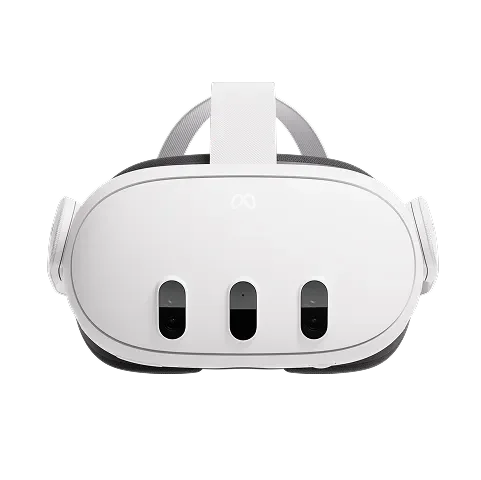
The Meta Quest 3 is the VR headset we’d start with for a household that expects to use VR regularly. It runs games on its own, can connect to a gaming PC, and has pancake lenses that make menus and text easier to see across more of the image. The 512GB Quest 3 cost $599.99 on Meta’s U.S. store when checked November 23, 2026. The cheaper Quest 3S runs broadly the same Quest software, so the extra money primarily buys a better view, more flexible fit, and more storage. Meta Quest 3 · Meta headset comparison
Product image from Meta.
What you get for $599.99
| Specification | Quest 3 |
|---|---|
| Standalone platform | Meta Horizon OS |
| Processor | Snapdragon XR2 Gen 2 |
| Display | 2,064 × 2,208 per eye, LCD |
| Lenses | Pancake with continuous spacing adjustment |
| Storage | 512GB on Meta’s current U.S. listing |
| Tracking and input | Headset cameras, two Touch Plus controllers, supported hand tracking |
| PC VR | Quest Link over a compatible USB cable or wireless Air Link |
These are manufacturer specifications. The 512GB listing matters if you’re comparing new stock with an older 128GB Quest 3 or a third-party bundle. Put the exact model, capacity, seller and included accessories side by side before you compare prices. Meta product page · Meta headset comparison
What we like
Clarity you’ll notice between games, too. The wider usable area of the lens makes a difference when you look down at a menu, check a scoreboard off to the side or read a short line of text without turning your head. UploadVR’s firsthand review found the combination of pancake optics and higher-resolution panels a substantial upgrade over older Quest hardware. This is the reason we’d choose the 3 for a frequent player. It affects nearly every session, including time spent navigating apps. UploadVR’s Quest 3 review
Two ways into VR. Start with games that install on the headset. If you later buy a compatible PC, add PC VR without replacing the headset. A wired Link cable is useful where wireless conditions are inconsistent. Wireless lets you turn freely, but the PC still renders the game. If you want wireless PC VR, evaluate the network where you actually play and the games the PC can sustain. The option to connect wirelessly means more when the room and network cooperate. Meta Quest Link compatibility
More room for a shared library. The 512GB version suits a household that keeps several large games installed and passes the headset around. Plan for separate accounts where supported, and check each title’s sharing rules before assuming multiple people can access every purchase or add-on. If you mostly stream PC VR, the games live on the PC and the extra headset storage matters less.
What could be better
Comfort is the first variable to test. Try the included strap for the length of a session you actually expect to play. A more structured strap can change how pressure is distributed, while a battery strap adds both runtime and weight. Someone with glasses should check clearance or price prescription inserts. Hold off on a full accessory bundle until you know which problem you’re trying to solve. Independent reviewers noted the head strap and fit are meaningful variables even with the slimmer optical assembly. UploadVR’s Quest 3 review
Color passthrough is useful for short interruptions. Passthrough can help you see where you set your controllers or step away from the play area. Results depend on lighting, and tiny text on a phone or laptop screen can still be awkward. For someone buying specifically for virtual work, we’d try the exact desktop app and text sizes during a return window or a demo. UploadVR’s Quest 3 review
Quest 3 vs. Quest 3S and Steam Frame
The Quest 3S makes more sense for a first headset used mainly for short sessions, especially if the savings pay for software you’ll actually use. Buy the Quest 3 if you care about readable text, commonly look around with your eyes during play, or want more flexibility adjusting the lens spacing. The Steam Frame merits a look when a capable gaming PC and Steam library are already at the center of your setup. Its dedicated wireless adapter is a practical distinction, and Valve’s availability process may affect when you can get one. Meta headset comparison · Valve Steam Frame
How we’d set it up
Start with one native game and the stock strap. If your cheek pressure builds over a longer session, try a different balance before adding a battery. For a PC game, first confirm it runs well on the PC using a direct or otherwise dependable setup. Then choose wireless if free movement matters. If you see stutter, change one variable at a time. Try connecting near the router, lower streaming resolution temporarily, and compare with USB Link if you have a suitable cable. Fixing a weak link is cheaper than replacing a headset that works well in native games. Meta Horizon Link setup
FAQ
Do I need a PC? A PC is optional for native Quest apps. It’s required for a Windows PC VR game you intend to run through your computer. Check the platform shown on the game’s store page.
Can I use a USB cable to get uncompressed DisplayPort VR? Meta Quest Link sends an encoded video stream over USB. If direct DisplayPort video is a requirement, shortlist a headset whose PC connection explicitly offers that mode.
Who should skip it? PS5 owners buying chiefly for Gran Turismo 7’s VR mode need PS VR2. A buyer mainly interested in immersive movies and a Mac workspace should compare Apple Vision Pro or Galaxy XR before investing in accessories for a gaming-focused headset. PlayStation VR2 games
Check the Quest 3 price at Meta · Compare all the VR headsets
This review is based on manufacturer specifications, current listings and published hands-on reporting.
As an Amazon Associate I earn from qualifying purchases.