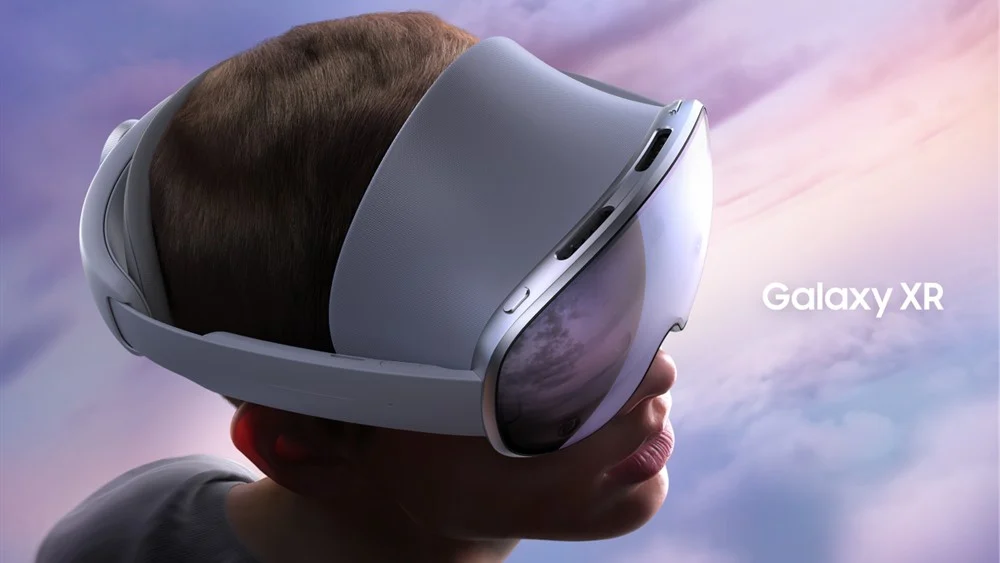
At $1,799.99 for 256GB on Samsung’s U.S. listing, the Galaxy XR is for someone who wants a premium headset for video, virtual windows and Google services. Its combination of micro-OLED screens and hands-free controls puts it in the same broad shopping category as Apple Vision Pro. If most of your planned time involves active games, start by checking the exact Android XR versions and prices, including the optional controllers. The lower sticker price relative to Apple is valuable once you confirm the software you’ll actually use. Samsung U.S. listing · Samsung’s technical overview
Product image from Samsung Newsroom.
The Galaxy XR at a glance
| Specification | Galaxy XR |
|---|---|
| Platform | Android XR |
| Processor and memory | Snapdragon XR2+ Gen 2 and 16GB |
| Display | Micro-OLED, 3,552 × 3,840 per eye |
| Refresh rates | 60Hz, 72Hz and 90Hz |
| Storage | 256GB |
| Input | Eye, hand and voice interaction; optional dedicated motion controllers |
| Advertised battery | Up to 2 hours general use or 2.5 hours video |
Samsung’s ratings are under its stated conditions. Consider a power plan if the primary job is a movie longer than two hours. Samsung lists the controller set and travel case as separate accessories, each introduced at $249.99. Check the current listing and bundle contents before adding either. Samsung newsroom specifications and accessory prices
What we like
Start with the daily apps you know. Android XR’s appeal is that familiar Google services and compatible Android apps can sit beside headset-specific experiences. That can be useful if you spend much of a day in a browser, rely on Google Photos or want a floating video window. An Android app opening in a window is different from a full spatial or motion-controlled experience. Try signing into your normal apps in a demo and check controls, text selection and whether the window arrangement works as you expect. Samsung’s software overview · UploadVR’s hands-on coverage
High-resolution displays suit video and text. Samsung’s per-eye pixel count makes small virtual windows a plausible reason to try the headset. Android Central’s initial demo described a sharp image and a well-balanced fit. One demonstration can’t tell you whether the seal, forehead pressure or controls will feel right for your face after a long session. Bring the kind of text you actually read and see if you can use it at your normal working size. Android Central hands-on
What could be better
The accessories and software need their own budget. Add the motion controllers for games or software that require them. Then tally any prescription solution, travel case, subscriptions and content costs you expect to pay. A headset feature described at launch may still depend on region, language or app support. Verify the one or two features that justify the purchase in your account and region. Samsung accessory support · Samsung’s U.S. listing
A virtual display is only as useful as its source and controls. A bright app window in a demo can look impressive even when your own document, workflow or desktop connection is awkward. Check whether your exact computer connection is supported, practice typing and measure how long you’re happy with the cable and battery placement. If your main goal is VR gaming, the Quest 3 leaves more budget for games and includes its controls at the listed price. Meta Quest 3
Head to head
Buy Galaxy XR for Android XR and Google-centric use once your apps check out. Pay for Vision Pro M5 when an Apple-specific feature such as Mac Virtual Display or a visionOS app is the main justification. Choose Quest 3 if you want a controller-first experience and your games live on Quest or a compatible gaming PC. In a demo, repeat the same tasks on both premium headsets so the comparison reflects your work and entertainment.
A sensible demo checklist
Pick one video service, one Android app and one working task you can try repeatedly. In each case, verify that you can sign in, navigate with your preferred input and use the features you count on. If you expect to share photos or access work files, check the workflow with the accounts you already use. If a seller demonstrates video streaming, test what happens when you move a window and resize it to the size you’d actually use. That’s more representative of owning the headset than a polished demo reel.
FAQ
Are the controllers included? Samsung lists its dedicated controllers as separate accessories. Review the bundle and title requirements before checkout. Samsung accessory support
Does using an Android phone mean my apps will work? It’s a good reason to investigate the ecosystem. Check your must-have titles individually, including how input works and whether the headset version supports the features you use.
Check Galaxy XR and accessories at Samsung · Compare all the VR headsets
This review is based on manufacturer specifications, current listings and published hands-on reporting.