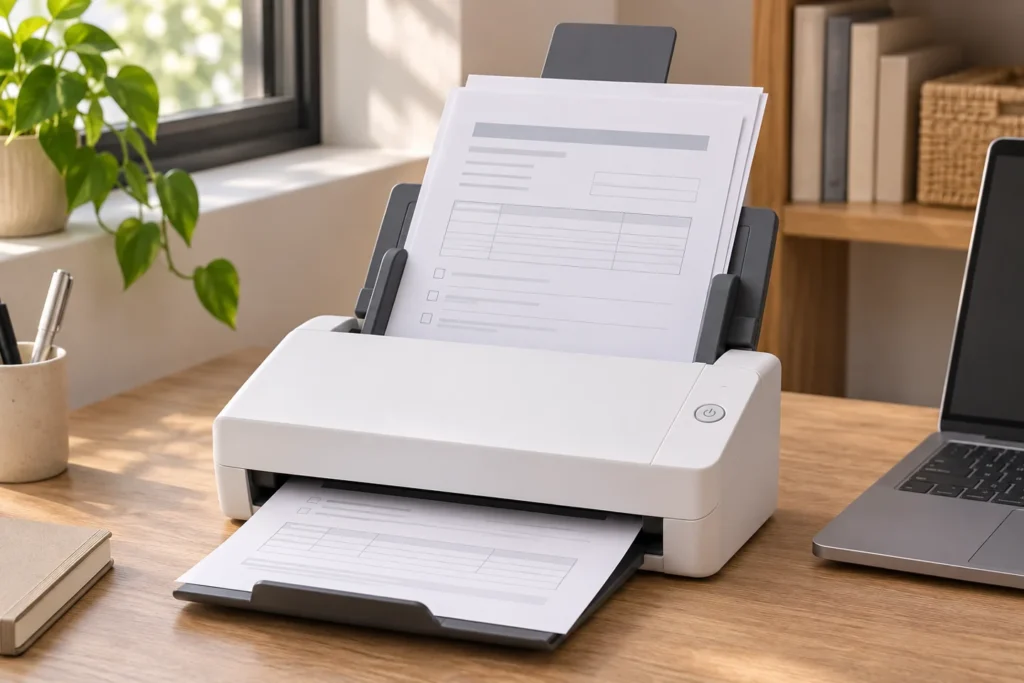
We’d buy the Canon imageFORMULA R10 if we needed one scanner for a small desk and occasional work away from it. Its 20-sheet feeder and automatic two-sided capture let you load a packet and turn it into one file without standing there feeding every sheet. It runs off a laptop’s USB connection. The trade-offs are slower high-resolution scanning and uneven software behavior in independent testing, so try it early on the computer you plan to use.
If your scanner will live next to an outlet, the Ricoh ScanSnap iX1300 is worth the upgrade for frequent batches. If you mostly digitize one or two pages at a time and want to pack light, we’d buy the Epson WorkForce ES-50 for one-sided paper or the Brother DS-740De for two-sided forms. The Brother’s final “e” identifies the USB-C version in this guide.
Quick picks
As an Amazon Associate I earn from qualifying purchases.
| Pick | Model | Key specs and practical advantage | Shop |
|---|---|---|---|
| Top Pick | Canon imageFORMULA R10 | 20-sheet automatic feeder, single-pass duplex, USB power. Scan short packets from a laptop. | Check price on Amazon |
| Runner-Up | Brother DS-740De | One sheet at a time, single-pass duplex, USB-C power and data. Good for two-sided forms at a narrow counter. | Check price at Brother |
| Best Budget | Epson WorkForce ES-50 | One-sided, one-sheet feed, 0.59 lb. Easy to pack for receipts and occasional paperwork. | Check price on Amazon |
| Best Upgrade | Ricoh ScanSnap iX1300 | 20-sheet automatic feeder, duplex, Wi-Fi or USB data, wall power. Fast enough for a regular home-office backlog. | Check price on Amazon |
U.S. price check, November 25, 2026. B&H listed the Canon at $184.00, the Epson at $119.99, and the standard black Ricoh at $249.99, all in stock when checked. Brother’s U.S. store listed the DS-740De at $169.99 and showed an add-to-cart option. These are posted prices before tax and any shipping charges. Compare delivered prices on the day you order. Canon at B&H · Epson at B&H · Ricoh at B&H · Brother
What to look for before you buy
Count how often you scan a stack. Duplex means the scanner can capture both sides of a sheet. An automatic document feeder, or ADF, advances a stack without you presenting each sheet individually. You want both for packets with printing on the back. For a handful of receipts each week, a manual feeder is practical, especially if each receipt needs its own file.
Measure the desk with the paper loaded. The scanner body is only part of the space it takes. A tray needs room to open, a cable needs room to bend, and a long document needs room to move. We’d check clearance on the shelf above it too. A vertical return path can free up the space behind a scanner, but you still need to be able to pull the finished sheets out.
Check the computer and where your PDFs will go. Verify the exact model’s software for your operating system. If your employer requires a particular scanning app, check which drivers it accepts. For shared computers or sensitive paperwork, test saving a searchable PDF to an approved local folder before processing a batch. Searchable PDFs use optical character recognition, or OCR, to add a text layer. We’d still spot-check names, dates, and totals against the originals.
Look at the paper you actually keep. Modern, loose documents are the right workload here. If your pile contains fragile originals, bound books, or old family photos, budget for access to a flatbed. Its glass supports the original without pulling it through rollers. For long receipts, check the model’s supported length and settings before assuming it can capture the whole strip.
Specifications compared
| Specification | Canon R10 | Brother DS-740De | Epson ES-50 | Ricoh iX1300 |
|---|---|---|---|---|
| Paper feed | 20-sheet ADF | Manual, one sheet | Manual, one sheet | 20-sheet ADF plus separate return feeder |
| Automatic two-sided capture | Yes | Yes | No | Yes |
| Manufacturer speed | Up to 12 ppm one-sided or 14 ipm duplex in monochrome | Up to 16 ppm on letter paper at stated settings | 10 ppm at 300 dpi | Up to 30 ppm or 60 ipm in compatible ADF modes |
| Optical resolution | 600 dpi | 600 × 600 dpi | 600 dpi | 600 dpi |
| Connection | USB | USB-C | USB | USB or Wi-Fi |
| Power | USB | USB | USB | AC adapter |
| Weight | 2.2 lb | 1.4 lb | 0.59 lb | 4.4 lb |
| Searchable PDFs | CaptureOnTouch Lite | Brother software | Epson ScanSmart workflow | ScanSnap Home |
The makers supply these specifications. Pages per minute, or ppm, describes sheet throughput in these comparisons. Images per minute, or ipm, counts captured sides in the quoted duplex ratings. A sheet printed on both sides produces two images. Settings differ by maker, and the ratings leave out some of the work you do at the desk, such as straightening paper or naming a file. Canon specifications · Brother specifications · Epson specifications · Ricoh specifications
Editorial scorecard
This is a research-based editorial assessment. Each bar shows a score out of 5, with 5 the strongest fit for that criterion. Paper handling weighs the feeder, duplex capability, and available speed evidence (40%). Portability weighs size, weight, and power (25%). File workflow covers searchable output, compatibility, and documented software issues (20%). Value reflects the prices we checked (15%). The measured performance figures come from published third-party tests.
| Model | Paper handling | Portability | File workflow | Value | Weighted total |
|---|---|---|---|---|---|
| Canon R10 | ████░ 4 | ████░ 4 | ███░░ 3 | █████ 5 | 79/100 |
| Brother DS-740De | ███░░ 3 | █████ 5 | ████░ 4 | ████░ 4 | 77/100 |
| Epson ES-50 | ██░░░ 2 | █████ 5 | ████░ 4 | █████ 5 | 72/100 |
| Ricoh iX1300 | █████ 5 | ██░░░ 2 | ████░ 4 | ███░░ 3 | 75/100 |
The Canon leads because it handles stacks and runs off USB at a price close to the manually fed Brother. The Brother scores better on portability and offers documented driver options. The Epson earns top marks for weight and price, with a penalty for single-sided capture. The Ricoh wins on paper handling. Its wall adapter and higher price matter more if you plan to carry it than if you scan several batches a week.
Top Pick — Canon imageFORMULA R10
What We Like
The R10 solves a common annoyance you run into with short packets that have fine print or signatures on the back. It captures both sides and advances up to 20 sheets automatically. Canon lists support for documents up to 14 inches long, covering U.S. legal-size paper. The CaptureOnTouch Lite software is built into the scanner, which is appealing if you move between compatible computers.
What Could Be Better
TechGearLab timed a 10-page double-sided document at 155 seconds at 600 dpi. Its reviewer also reported software crashes on the Mac used in the test and some glitches on Windows. Buy from a seller with a return window and try a typical packet with the computer, cable, and save location you’ll use. If the output is for everyday reference, compare a readable 300 dpi scan with a higher-resolution one before spending the extra time.
Who should buy or skip it. Buy it for occasional stacks, including away from a wall outlet. Skip it if you regularly process thick files or your required software can’t work with the scanner.
Runner-Up — Brother DS-740De
What We Like
At about 1.4 pounds, the Brother is the better fit if you carry a laptop and scan forms individually. USB-C handles power and data on this version, and the scanner captures both faces in one pass. We like the vertical paper path for shallow desks. Brother lists searchable PDF options and TWAIN and other drivers, helpful if you already use a compatible capture application.
What Could Be Better
You still load each physical sheet yourself. Automatic duplex saves the flip, but a 15-sheet packet takes 15 separate insertions. Brother also recommends a carrier sheet for receipts and lists it as a separate purchase. If receipts are most of your workload, factor that into the comparison.
Who should buy or skip it. Buy it for two-sided forms at a counter or on the go. Skip it for regular stacks or if a lighter one-sided scanner meets your needs.
Best Budget — Epson WorkForce ES-50
What We Like
At just over half a pound, the Epson takes up little room in a bag. It runs off USB and handles long receipts up to the maker’s stated 72-inch limit. ScanSmart can combine individually fed pages into a single file. That helps when a short invoice and its receipt belong together, even if you usually scan them one at a time.
What Could Be Better
Epson calls its page-start feature Automatic Feeding Mode. It starts a scan when you insert a sheet, and you supply each sheet yourself. It also captures one side at a time. Recurring two-sided forms are a good reason to spend more on the Brother or Canon. Epson user guide
Who should buy or skip it. Buy it for one-sided receipts and the lowest checked price among our picks. Skip it if double-sided pages or stacks are routine.
Best Upgrade — Ricoh ScanSnap iX1300
What We Like
The Ricoh is the model we’d leave set up for weekly paperwork. It feeds a stack from the top and has a separate front path for individual sheets or suitable thicker items. TechGearLab reported finishing a 10-page black-and-white duplex job in 23 seconds. That result supports choosing the Ricoh for repeated batches. The Canon’s 600 dpi result came from a separate test, so we’d use the timings as examples of individual workloads.
What Could Be Better
It needs an outlet even when you send scans over Wi-Fi, and its feeder still holds 20 sheets. Ricoh uses its own ScanSnap driver. If your scanning app requires TWAIN, choose a model with compatible drivers. TechGearLab also found the Ricoh’s OCR much better with printed text than with handwriting.
Who should buy or skip it. Buy it for frequent batches in a small office with a convenient outlet. Skip it if you travel with your scanner or your workflow requires TWAIN.
Head-to-head decisions
Canon R10 vs. Brother DS-740De. At the prices we checked, about $14 more gets you the Canon’s 20-sheet feeder. If you regularly scan even modest packets, we’d pay it. If you usually handle one form at a time, the Brother’s lighter body and USB-C connection are advantages you’ll notice more often.
Canon R10 vs. Ricoh iX1300. Both feeders hold 20 sheets, so the extra money buys throughput and a more flexible desk setup. We’d choose the Ricoh if several batches pile up every week. For someone who needs a scanner that can run from a laptop in a room without a convenient outlet, we’d choose the Canon.
FAQ
Can I use my phone instead?
For a few loose sheets a month, start with a phone scanning app you already trust. Check that the edges, signatures, and fine print are legible in the exported file. A dedicated scanner earns its space when you repeat the job, need predictable alignment, or have a stack of two-sided forms.
Is 600 dpi worth using for every job?
We’d start at 300 dpi for ordinary printed paperwork and inspect the result at full size. Try 600 dpi for unusually small print or fine detail when the lower setting loses information. For a packet that needs to be searchable, test a search for a distinctive word or number before filing it.
How do I keep a packet in order?
Remove staples, flatten folded corners, and scan one packet at a time. Check the page count, orientation, and backs before filing. Be careful with automatic blank-page removal when the back of a sheet has a faint stamp or a handwritten note you need to keep. Canon operator manual
Leave a Reply
You must be logged in to post a comment.