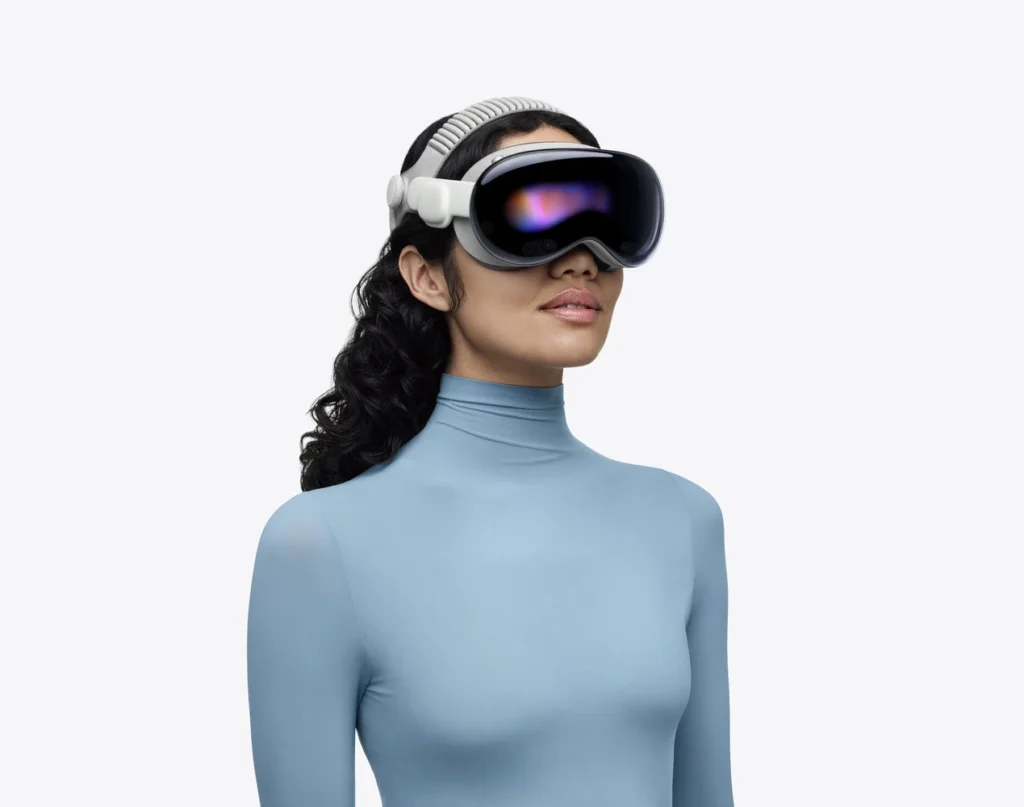
Apple Vision Pro with M5 is for someone who can name the immersive video or Mac workflow they’d use often enough to justify buying a premium headset. Apple’s U.S. shop listed the current model from $3,699 when checked November 23, 2026. The main draws are its micro-OLED image, eye-and-hand navigation and Mac Virtual Display. If you shop chiefly for motion-controlled gaming, a Quest or a dedicated PC headset offers a much lower entry cost and a library built around those controls. Apple U.S. store · Apple technical specifications
Product image from Apple Newsroom.
What the M5 model includes
| Specification | Apple Vision Pro M5 |
|---|---|
| Platform | visionOS |
| Processors | Apple M5 and R1 |
| Display | Micro-OLED, 23 million pixels across both displays |
| Storage options | 256GB, 512GB and 1TB |
| Navigation | Eyes, hands and voice |
| Power | External tethered battery |
| Fit equipment | Dual Knit Band and fitted Light Seal |
Read the model identification carefully if you find a used or refurbished price. An older M2 Vision Pro can appear under the same product name. Check the chip generation, included band, seal size, battery and warranty before comparing a listing to a new M5 at Apple. Apple specifications · Apple M5 announcement
What we like
The strongest use case is deliberate viewing. If you watch films alone or want to spend time with immersive video, sharp displays and controlled surroundings matter. Test the type of content you would actually pay for. Ordinary video, 3D movies and immersive productions are different formats, and a headline feature often applies to a subset of titles. Confirm service availability and any subscriptions you require. For family movie night, a shared TV remains the easier purchase. Apple’s immersive video and app overview · Tom’s Guide independent review
Mac Virtual Display has a clear purpose for some buyers. Someone traveling without access to multiple monitors may want a broad virtual workspace. Before you buy, bring a typical project to a demo or try it immediately in the return period. Spend time reading small type, switching windows and using your normal input devices. Verify the capabilities available with your Mac and macOS version. A spreadsheet that’s legible for five minutes may still be less comfortable for two uninterrupted hours. Apple’s Mac Virtual Display setup guide
What could be better
Fit has consequences at this price. The headset, light seal and external battery affect what you can comfortably do and where. The Dual Knit Band changes the way weight is distributed, and an independent Tom’s Guide review described the fit improvement while identifying the limits of extended use. If you live with glasses, check Apple’s ZEISS insert options and compatibility before ordering. The rest of the household may need different fit components. Tom’s Guide’s M5 review · Apple purchasing and fit
Controller support is app-specific. Apple lists PlayStation VR2 Sense controllers among the supported input accessories. Check the visionOS listing for each title you want to play and budget for the supported controls separately. Owning a PS5 or a PC VR library does not automatically give you the same games on Vision Pro. Apple technical specifications · Apple’s controller and app announcement
Head to head
Start with Vision Pro M5 if a Mac workspace is central and your must-have experiences live on visionOS. Try Samsung Galaxy XR if you use Google services heavily or the Android XR ecosystem better fits your apps. Compare both in person when possible. With each demo, try five minutes of small text and ten minutes of your preferred video before deciding how much the platform difference is worth. A Quest 3 makes more sense if most of your planned time is active VR gaming.
What we’d try in an Apple Store demo
Ask for a demo of the seal and band fitted to you, then spend the session on the job you’re buying it for. If it’s a Mac replacement screen, ask to practice with the kind of text and window layout you already use. If it’s a travel cinema, think about where the battery will sit, how you’ll recharge and what you can download before leaving. Check the cost of a different size Light Seal or prescription inserts if someone else will share the headset. Fit and workflow can change the value more than the storage upgrade. Apple Vision Pro buying and demo options
FAQ
Do I need to own a Mac? No. A Mac is required for Mac Virtual Display, while visionOS runs its own apps on Vision Pro. Check that the Mac you want to connect meets Apple’s requirements. Apple setup guide
Which storage should I buy? Start by estimating what you’ll download or save locally, including video for travel. Larger storage has a clearer benefit if you regularly work offline or keep large media files on the headset.
Check Apple Vision Pro configurations · Compare all the VR headsets
This review is based on manufacturer specifications, current listings and published hands-on reporting.